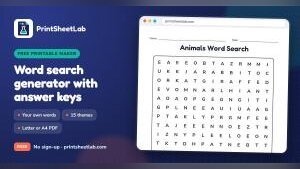
With winter break just around the corner, teachers, parents, and homeschoolers scrambling for last-minute lesson activities now have a fresh, no-cost option: PrintSheetLab has released a browser-based word search generator that transforms any spelling or vocabulary list into a printable PDF puzzle—complete with an answer key.
DUBAI, UNITED ARAB EMIRATES, November 8, 2026 /EINPresswire.com/ — PrintSheetLab, a free education website offering printable worksheets and learning tools, has introduced a free word search generator. This tool converts any list of words into a printable word search puzzle that includes an answer key. As the winter holidays approach and many classrooms are still working through weekly spelling and vocabulary lessons before the break, this resource gives teachers, parents, homeschool families, and activity leaders a fast way to create a custom word search from the exact words they are already teaching.
The tool operates entirely in a web browser and requires no account or sign-up. Finished puzzles download as PDFs formatted for US Letter or A4 paper, contain no watermarks, and the page states there is no daily limit on usage. The site notes that some people refer to it as a word search maker.
Also worth a look: ShipCargo maps route to first self-driving carrier, starting with vehicle hauling and SourceX offers enterprises up to $4M for licensing their operational data to AI.
How It Works
Users type or paste words one per line—up to 40 per puzzle—or choose a ready-made theme such as Animals, Halloween, Christmas, or Sight Words as a starting point.
Next comes the grid size. Seven sizes are available, ranging from 8 x 8 to 20 x 20. The difficulty level can then be set: on easy, words run only left to right and top to bottom; medium mixes in diagonal words; and hard also hides words backward, allowing them to point in any of eight directions.
The title, fonts, and colors can be customized, with easy-to-read fonts such as Lexend and OpenDyslexic available. Clicking the Download PDF button produces the finished file with the answer key on page two, while the New puzzle button rearranges the same words into a different layout.
Features in Detail
The 15 themes are animals, ocean, fruit, space, dinosaurs, bugs, farm, weather, sports, Halloween, Thanksgiving, Christmas, winter, spring, and sight words. Each theme fills in a word list that can be printed as is or edited first.
The answer key appears as a second page with every word highlighted in a chosen color. There are 10 title fonts and 6 letter fonts, including dyslexia-friendly options, plus title color, border style, uppercase or lowercase letters, and an optional name and date line.
According to the page, every word is hidden exactly once, so children never encounter a word twice by accident. An optional Hidden message box lets leftover letters spell out a message once every word is found, and the answer key circles those letters. If a word is longer than the grid or the list is too long for the space, the tool alerts the user that a word did not fit, suggesting a bigger grid, a shorter list, or a new arrangement.
The page also matches grids to ages: it recommends an 8 x 8 easy grid with lowercase letters for preschool and kindergarten, a 10 x 10 easy grid for grades 1 and 2, a 13 x 13 medium grid for grades 3 to 5, and 15 x 15 to 20 x 20 on hard for teens and adults.
Uses at Home, in Classrooms, in Homeschools, and in Groups
For classroom spelling practice, the page suggests pasting the weekly list in on Monday and handing out the puzzle as homework, noting that finding each word makes children look carefully at letter order. This is the core idea behind a spelling word search: the puzzle practices the same words that will be on the week’s test rather than a generic list. For vocabulary review, the page suggests using key terms from a science or history unit and asking students to write a definition for each word they find.
In a homeschool setting, one spelling list can feed several activities in a week, and the answer key lets a parent check the puzzle quickly. The sight words theme can serve as a starting point for a word search for children who are beginning to read.
At home, the page suggests puzzles built from guest names or theme words for birthdays, baby showers, bridal showers, and retirement parties. For adults, a 20 x 20 hard puzzle with backward words is described as a good travel or coffee-break activity.
For groups of older adults, the page describes a large print word search with familiar words—such as flowers or old film stars—as a gentle, screen-free activity for seniors and memory care. This makes the same tool usable for a word search for seniors at a club or library session. According to the page, printed puzzles are free for home, classroom, and tutoring use, though the PDFs should not be sold or uploaded to other websites.
Ready-Made Holiday Puzzles and Related Free Resources
For a holiday puzzle that is ready to print, the Christmas word search page at https://printsheetlab.com/worksheets/christmas-word-search/ has six puzzles, ranging from an easy 10 by 10 grid to a hard 17 by 17 search with 20 words in all eight directions, including a hidden message puzzle that spells Merry Christmas. The Thanksgiving word search page at https://printsheetlab.com/worksheets/thanksgiving-word-search/ also has six puzzles. Every puzzle in both sets includes its answer key on page two, and both pages link back to the word search generator so their themes can be edited.
PrintSheetLab also offers a hidden message word search generator for puzzles that end with a secret greeting. For spelling and vocabulary work beyond puzzles, the site’s flash card maker takes one card per line, with the front and back separated by a bar, and can make up to 200 cards at a time for spelling words, vocabulary, or test review. A spelling worksheet generator prints activities such as ABC order, missing letters, and a spelling test from any spelling list, complete with answer keys.
A Word From PrintSheetLab
“A word search is one of the simplest ways to get children looking closely at how words are spelled,” said Vicky, who runs PrintSheetLab. “Being able to use your own word list, and print a clean answer key, means the puzzle fits the lesson rather than the other way round.”
Frequently Asked Questions
Is the word search generator free to use?
Yes. According to the page, any number of word searches can be made and printed, with no account, no watermark, and no limit.
Does every puzzle include an answer key?
Each PDF can include a second page with every word highlighted. A setting labeled “Add an answer key page” controls this, and when it is left switched on, the key is added to the file.
Can a large print word search be made for seniors?
Yes. The page suggests a 10 x 10 or 12 x 12 grid, which gives each letter a lot of space on a full page, and the Lexend font for extra clarity. It recommends the easy or medium setting with 8 to 12 words.
Are the words typed into the tool saved anywhere?
According to the PrintSheetLab homepage, the site’s makers build each printable in the browser. Typed names and words are only added to a link if the option to copy a link to the settings is used, and they are only stored if the person chooses to save the sheet.
About PrintSheetLab
PrintSheetLab is a free education website that publishes printable worksheets with answer keys for preschool to grade 8, step-by-step math calculators, learning games, and printable calendars and paper. It is created and maintained by Vicky. The site is free to use and does not require an account.
Vicky
PrintSheetLab
info@printsheetlab.com
Why it matters: In an era of increasing screen time and subscription-based educational tools, PrintSheetLab’s free, no-account-required generator offers a practical and accessible alternative for educators and families. By allowing users to input their own word lists and generate answer keys automatically, the tool bridges the gap between custom lesson planning and ready-to-use classroom resources—without a paywall.